728x90
명세가 여기저기 흩어져 있는 것들 정리
주의사항 정리
애플은 돈이 없어서 못해봄 ㅇㅅㅇ
- OAuth 2.0: 사용자 자격 증명을 요구하지 않고 보호된 리소스에 대한 제3자의 접근을 가능하게 하는 널리 사용되는 인증 프로토콜
- ISSUER_URI : OIDC 승인 요청을 전송할 URL
- JWK_URI : JSON Web Key Set (JWKS)이 위치한 URL
- 공개키가 포함되어 있어 JWT 토큰을 검증할 수 있음
- RFC 6749: OAuth 2.0의 공식 기술 사양
- 토큰 발급 할때 Body 는 대부분 x-www-form-urlencoded 로 보낸다
1. Google
1. 인가 코드 발급
- Endpoint: https://accounts.google.com/o/oauth2/v2/auth
- scope 를 항상 보내줘야 함 ex. https://www.googleapis.com/auth/userinfo.email
2. 토큰 발급
- Endpoint: https://oauth2.googleapis.com/token
- Body
- client_id
- client_secret
- redirect_uri
- code
- grant_type = “authorization_cde” 고정
3. User info
2. Kakao
공홈 👍
https://developers.kakao.com/docs/latest/ko/kakaologin/rest-api
3. User info
- Response Example
- id Type 이 Int 이므로 주의 필요
{ "id": id(**Int**), "connected_at": "2025-07-10T04:55:43Z", "properties": { "nickname": "손경현", "profile_image": "http://k.kakaocdn.net/~", "thumbnail_image": "http://k.kakaocdn.net/~" }, "kakao_account": { "profile_nickname_needs_agreement": false, "profile_image_needs_agreement": false, "profile": { "nickname": "손경현", "thumbnail_image_url": "http://k.kakaocdn.net/~", "profile_image_url": "http://k.kakaocdn.net/~", "is_default_image": false, "is_default_nickname": false } } }- 추가 정보를 위해 사업자 등록 클라이언트 등록 필요
- email 같은거 가져올려면 사업자 등록해야 함

3. Naver
공홈 👍
https://developers.naver.com/docs/login/api/api.md
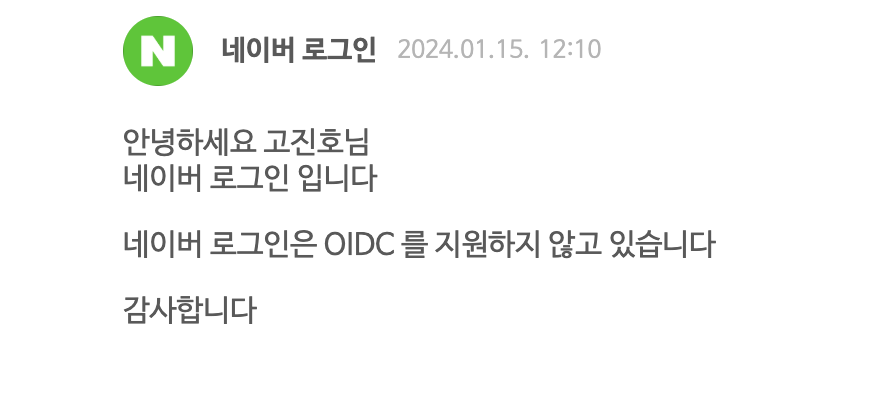
- OIDC 미지원
- jwl uri 없음

3. User info
- Response Example
{
    "resultcode": "00",
    "message": "success",
    "response": {
        "id": id(String),
        "nickname": "현",
        "email": "1234567@naver.com",
        "name": "손경현"
    }
}
Google, Kakao 처럼 아이디가 0 Depth 에 바로 있는 것과 다르게 response 안에 존재
스프링 시큐리티에서 OAuth2User class 사용할 때 OAuth2User.name 으로 못가져오니까 따로 처리해줘야 함
4. X (Twitter)
- PKCEcode_verifier → (해싱) → code_challenge
- authorization_code 발급 시 code_challenge + code_challenge_method, 토큰 발급 시 code verifier 을 함께 전송해야 하는 특별한 보안체계를 가짐
- Twitter has basically 3 OAuth methods:
- OAuth v1
- OAuth v2 User Context
- OAuth v2 Application Only : 앱과 관련해서 인증하므로 어떤 유저든 상관없음 보통 유저 로그인이 필요하지 않은 정보를 원할 경우 ⇒ users/me API 를 호출할 수 없는 등 많은 제약이 있음
1. 인가 코드 발급
- EndPoint: https://x.com/i/oauth2/authorize
- Parameter
- response_type = ”code”
- client_id = “~”
- redirect_uri = “(ex)http://localhost~”
- code_challenge = “(ex)challenge”
- code_challenge_method = “(ex)plain”
- PKCE 로 인해 필수
- scope = “tweet.read users.read”
- tweet.read 를 넣지 않으면 사용자 정보를 받아올 때 403 에러 뜸
- Request 예시
https://x.com/i/oauth2/authorize?response_type=code&client_id=M1M5R3BMVy13QmpScXkzTUt5OE46MTpjaQ&redirect_uri=https://www.example.com&scope=tweet.read%20users.read%20account.follows.read%20account.follows.write&state=state&code_challenge=challenge&code_challenge_method=plain2. Access Token 발급
- EndPoint: https://api.x.com/2/oauth2/token
- Parameter
- code = 1에서 발급받은 인가코드
- grant_type = “authorization_code”
- redirect_uri = 1과 동일
- code_verifier = 인가 코드 발급에서 썼던 code_challenge 가 해싱되기 전 원본 값 (method 가 plain 이면 code_verifier == code_challenge)
- Headers
- Authorization: Basic ${base64로 인코딩 된 정보}
- ${client_id}:${client_secret} 값을 base64로 인코딩 (https://base64.guru/converter/encode)
- Authorization: Basic ${base64로 인코딩 된 정보}
- Access Token 발급에 헤더를 넣어줘야 하며, 여기에 client_id, client_secret 정보가 담김
- Response Example
{
    "token_type": "bearer",
    "expires_in": 7200,
    "access_token": token(String),
    "scope": "users.read tweet.read"
}
3. User info
- EndPoint: https://api.twitter.com/2/users/me (이건 왜 트위터 😡)
- Headers
- Authorization: Bearer ${access Token}
- Response Example
{
    "data": {
        "id": id(String),
        "name": "손경현",
        "username": "songyeongh44819"
    }
}- 참고 사이트
- https://dream-herb.tistory.com/140 : parameter, Header
- https://docs.x.com/tutorials/postman-getting-started : EndPoint
- https://docs.x.com/resources/fundamentals/authentication/oauth-2-0/user-access-token : EndPoint,Parameter, PKCE
- https://hwan-da.tistory.com/entry/OAuth2-X구-트위터-로그인-API-사용기 : PKCE
- https://docs.x.com/resources/fundamentals/authentication/guides/v2-authentication-mapping : 유저 정보
5. Facebook
728x90